
The Chat Widget Illusion: The Tip of the Iceberg
Every product-led SaaS business desires a direct, frictionless communication line with users. Visitors evaluating your pricing page have quick pre-sales questions; active dashboard users encountering an error want rapid troubleshooting. Live chat is the undisputed champion of in-session user engagement.
Because frontend developers can build an attractive floating chat modal with Tailwind CSS in an afternoon, teams frequently conclude: "Why pay for a live chat tool? Let's just wire this component to a WebSocket server and route messages to our Slack channel."
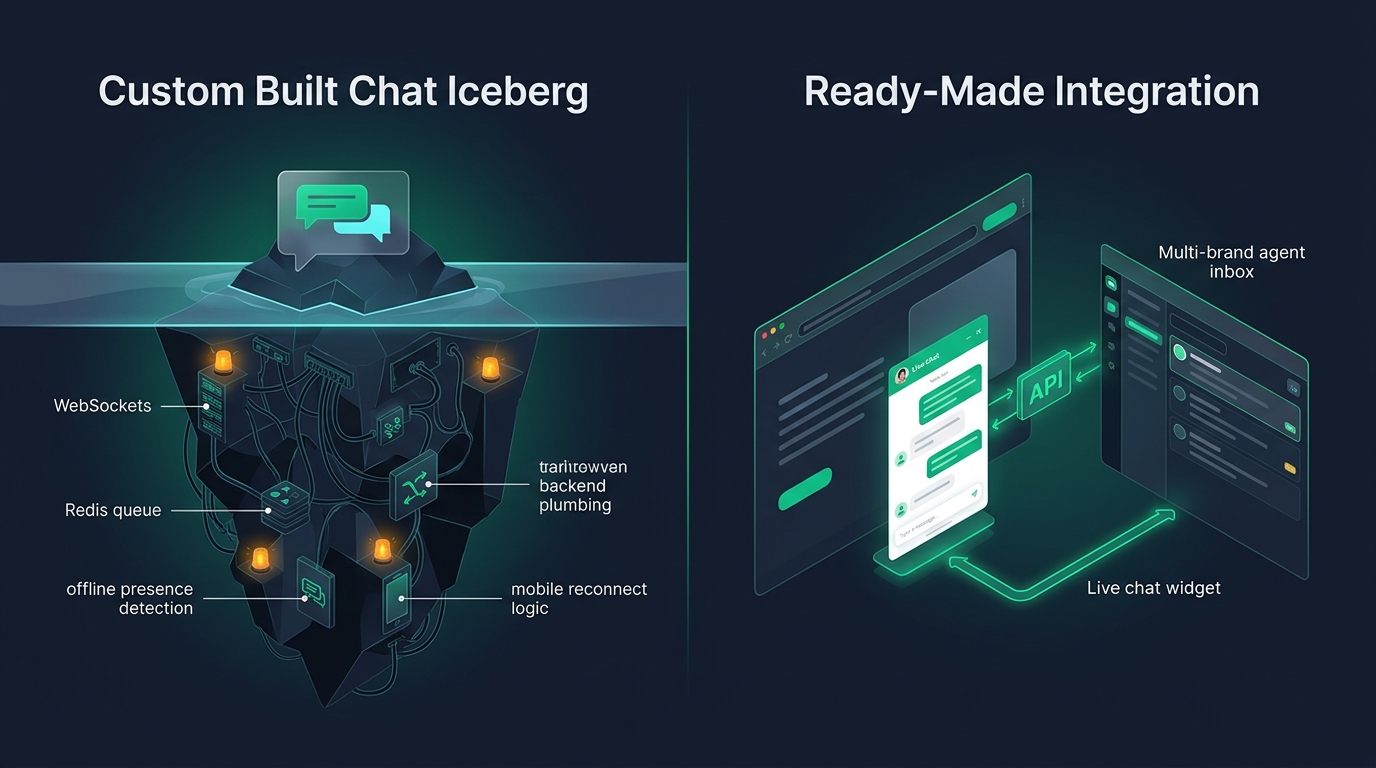
This is the classic chat widget illusion. The floating button on your website is merely the visible 10% of the iceberg. The remaining 90% is a sprawling network of state management, connection handling, persistence pipelines, and operational triage workflows.
The Real Cost of Custom Chat
A chat widget is not a UI component; it is a distributed real-time messaging platform. Building one in-house means committing your engineering team to continuous maintenance of socket infrastructure, reconnect edge cases, and spam defenses.
Under the Surface: Real-Time Messaging Plumbing
Operating a production live chat system demands solutions to challenging distributed systems problems:
1. Connection Lifecycle and Mobile Reconnects
Users browse software across unstable connections: switching from office Wi-Fi to cellular, closing laptop lids, or navigating between browser tabs. A custom WebSocket connection will drop silently. Your frontend must implement heartbeats, exponential backoff reconnect logic, message acknowledgments, and client-side message deduplication to ensure messages are neither dropped nor duplicated.
2. Presence and Typing State Machines
Customers expect to know whether an agent is online or offline, and whether someone is actively drafting a response. Building distributed presence detection (tracking whether an agent is active across browser tabs without flooding Redis with heartbeat pings) requires delicate infrastructure tuning.
3. Offline Queueing and Message Persistence
What happens when a customer sends a chat message at 2:00 AM on Sunday when no agents are online? If your custom chat drops the message into an unmonitored Slack channel, the customer closes the tab and never receives an answer. A production chat platform must seamlessly convert offline chats into threaded email tickets.
The Forgotten Half: The Agent Workspace
Engineering teams that build custom chat widgets almost always neglect the agent side of the equation. Developers often pipe chat messages into a company Slack channel via incoming webhooks. Within weeks, the limitations of this shortcut become glaring:
- Collision Hazards: Two support reps or founders begin typing to the same customer simultaneously, sending conflicting advice.
- Lack of Triage State: Slack messages have no concept of Open, Pending, or Resolved. Unanswered questions disappear into the channel history as team chat pushes them off-screen.
- Zero Audit History: Searching for past interactions across customer organizations becomes impossible.
- No Canned Responses: Agents type the same repetitive answers to common questions dozens of times a week instead of using keyboard shortcuts and verified response snippets.
The Asynchronous Bridge: Seamless Email Fallback
The true superpower of modern customer support is asynchronous continuity. A customer starts a conversation in the live chat widget on your website. After three minutes, they close their browser and leave for lunch.
If your chat system cannot bridge real-time chat to email, that conversation is dead. But with a unified support platform like HDdesk:
- The customer initiates a live conversation via the embedded widget.
- If the customer disconnects before an agent replies, the system automatically routes the agent's reply to the customer's verified email address.
- The customer replies directly from their personal email client (Gmail, Outlook, Apple Mail).
- The reply threads smoothly back into the original conversation inside the HDdesk agent console.
This eliminates the anxiety of live chat: neither the customer nor the support team is trapped in a synchronous staring contest waiting for a reply.
Integrating a Production-Ready Chat Widget
Instead of building chat infrastructure from scratch, SaaS teams can embed a fully branded, lightweight widget with minimal code:
<!-- HDdesk Live Chat Integration -->
<script
  src="https://chat.hddesk.com/widget.js"
  data-inbox="inbox_01jbc98..."
  data-brand="Acme Analytics"
  data-color="#01AB92"
  defer>
</script>
This single script delivers:
- Zero Performance Degradation: Lightweight, deferred script execution that will not degrade Core Web Vitals or page load speed.
- Brand Cohesion: Custom accent colors and brand names that match your SaaS theme perfectly.
- Unified Agent Console: Real-time chats appear in the same queue as inbound support emails, allowing agents to manage all customer channels in one place.
- Included on Every Plan: Unlike enterprise vendors that lock live chat behind premium tier upgrades, HDdesk includes live chat for every brand on every plan.
When Is Custom Chat Actually Warranted?
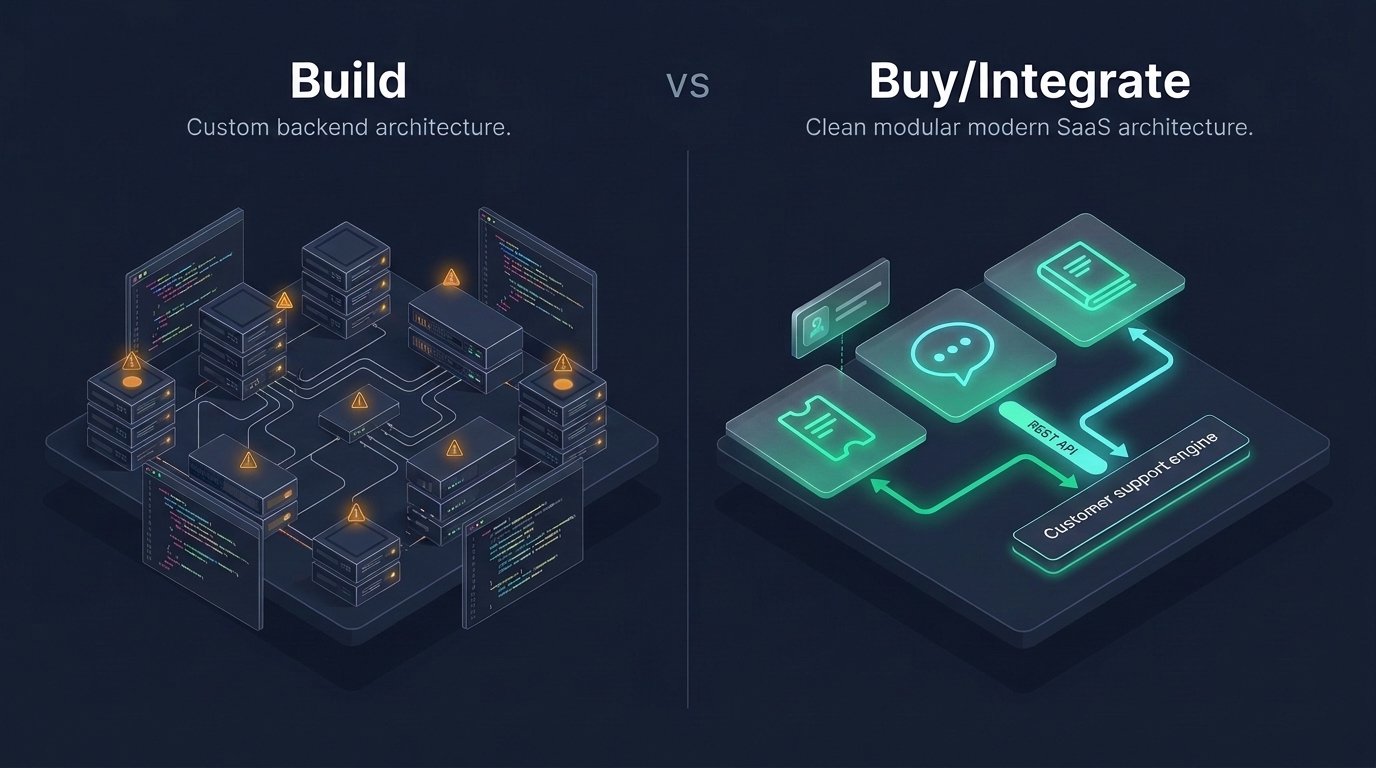
Building proprietary real-time chat is only justified when chat is the core value proposition of your software—for example, if you are building an in-game multiplayer communication suite, a telemedicine video consultation tool, or a team collaboration competitor like Discord. If chat is simply a conduit for customer support and pre-sales questions, integrating a ready-made support engine is the only economically rational decision.
Review our complete feature list or explore our transparent plan pricing to get started with embedded live chat today.