
The Secondary Password Trap in Customer Support
Imagine this user experience: A enterprise customer logs into your SaaS platform using Google Workspace SSO, SAML, or multi-factor authentication. They navigate to your settings page, click "View Past Support Tickets," and are immediately greeted with a login modal demanding: "Enter your Helpdesk Password."
The customer has no idea what their helpdesk password is. They never explicitly created one. Frustrated, they click "Forgot Password," wait for a reset email, get distracted, and abandon the task. An hour later, they email your team asking why they cannot access their ticket history.
This is the secondary password trap. Disconnecting support portal authentication from your core application identity damages the user experience and introduces critical security risks: users choose weak secondary passwords, share credentials across team members, or lose visibility into ongoing issue resolutions.
The Single Identity Standard
In modern B2B SaaS, customer identity belongs exclusively to your primary identity provider. When a customer is authenticated in your product, their access to support history, documentation, and open tickets should be completely seamless.
Architectural Flow: How SSO Bridges SaaS and Support
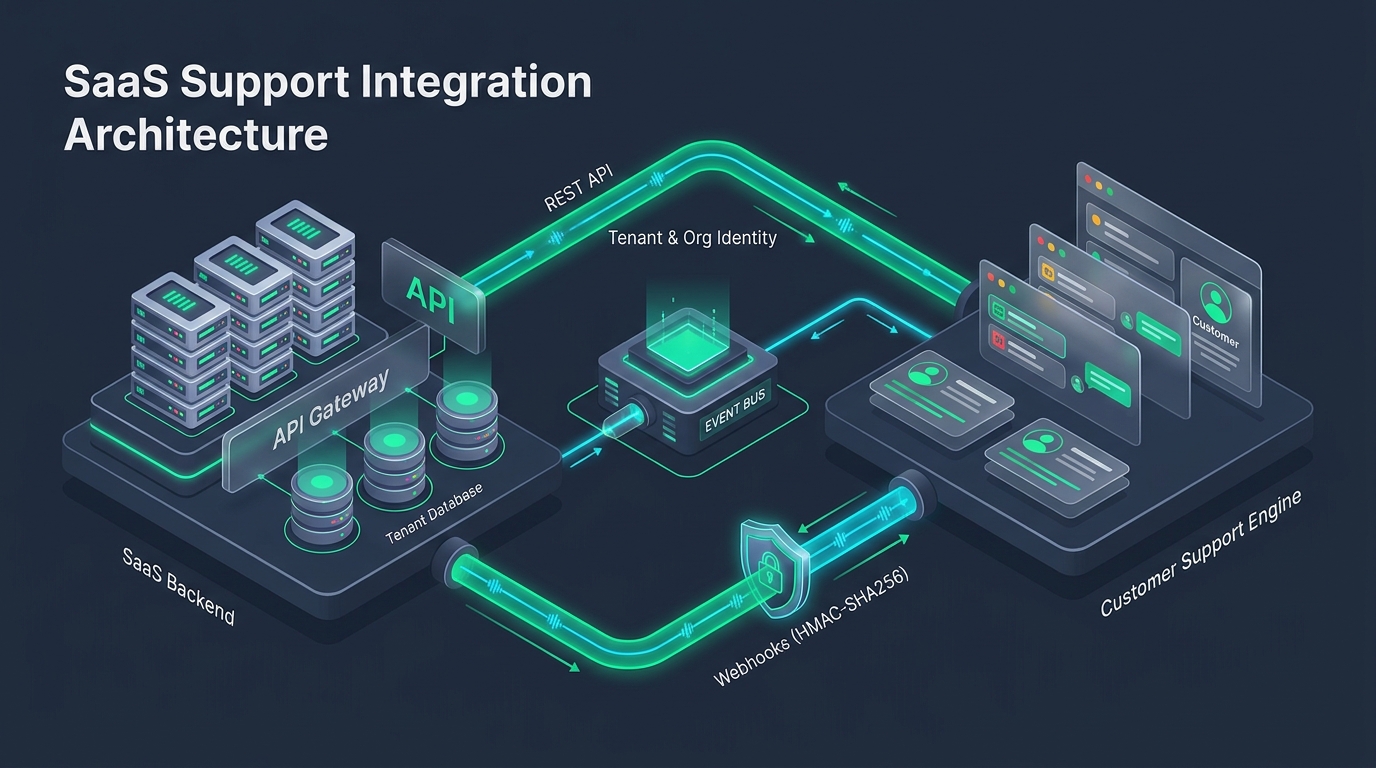
Implementing SSO for your customer support portal establishes a trust relationship between your SaaS application (the Identity Provider or IdP) and the customer support desk (the Service Provider or SP).
The standard user authentication flow proceeds in five secure steps:
- User Navigation: An authenticated user clicks "Support Portal" or "My Tickets" inside your web application dashboard.
- Server-Side Assertion Generation: Your backend generates a cryptographically signed JSON Web Token (JWT) containing the user's verified email, name, organization ID, and an expiration timestamp.
- Secure Client Redirect: The user's browser is redirected to your custom support domain with the signed token (e.g.,
https://help.yourdomain.com/auth/jwt?jwt=eyJ...). - Signature & Timestamp Verification: The support platform verifies the signature using your shared secret or public key, confirms the token has not expired, and matches the user's organization context.
- Authenticated Session Creation: The support platform sets an authenticated session cookie and displays the user's private ticket history and company-wide requests.
The Cryptographic Handshake: JWT Assertions and Redirects
Here is an illustrative backend implementation of an SSO token generator using Node.js and HMAC-SHA256 signing:
import jwt from 'jsonwebtoken';

app.get('/api/support/sso-redirect', requireAuth, (req, res) => {
  const user = req.user;
  const org = req.organization;
  const sharedSecret = process.env.HDDESK_SSO_SECRET;

  // Build the signed payload with short-lived expiration
  const payload = {
    email: user.email,
    name: `${user.firstName} ${user.lastName}`,
    external_id: user.id,
    organization: org.name,
    organization_id: org.id,
    iat: Math.floor(Date.now() / 1000),
    exp: Math.floor(Date.now() / 1000) + 120, // Valid for 2 minutes
    jti: crypto.randomUUID() // Nonce prevents replay attacks
  };

  const token = jwt.sign(payload, sharedSecret, { algorithm: 'HS256' });
  const returnTo = req.query.return_to || '/portal/tickets';
  const redirectUrl = `https://help.yourbrand.com/auth/sso?jwt=${token}&return_to=${encodeURIComponent(returnTo)}`;

  res.redirect(redirectUrl);
});
Enterprise Security Benefits: Ticket Privacy & Team Visibility
Connecting your SaaS login to the support desk delivers critical enterprise advantages:
1. Verified Organization Scoping
Enterprise accounts often have multiple team members collaborating on support issues. By passing verified organization_id metadata in the SSO assertion, colleagues within the same company can view shared ticket progress without granting access to external accounts.
2. Instant Revocation upon Offboarding
When an employee leaves a customer company and their SaaS account is deactivated by an administrator, their access to the support portal is revoked automatically. They cannot continue logging into an external ticketing forum with an old standalone password to read proprietary technical discussions.
3. Seamless Attachment Security
Support tickets frequently contain sensitive diagnostic exports, database dumps, and invoice receipts. An authenticated support portal ensures these file attachments cannot be accessed via unauthenticated public links.
Pre-Integration Security Checklist for Identity Teams
Before launching authenticated support access to customers, verify these four security safeguards:
- [ ] Short Expiration Windows: SSO assertions should expire within 60 to 120 seconds. Long-lived tokens risk interception in browser history or server logs.
- [ ] Cryptographic Nonces (JTI): Ensure the receiving endpoint rejects replayed tokens carrying identical
jtiidentifiers. - [ ] HTTPS Everywhere: Custom support domains (e.g.
help.yourbrand.com) must enforce strict HTTPS and HSTS headers. - [ ] Constant-Time Secret Validation: Ensure signature verification uses timing-safe equality checks to eliminate timing side-channel attacks.
By connecting your product login to HDdesk's customer portal, your team eliminates friction while upholding the highest enterprise security standards. Explore our feature overview to learn more.