

The Multi-Tenant Support Architecture Challenge
In a multi-tenant B2B SaaS application, hundreds or thousands of distinct business organizations share the same underlying application infrastructure. Each tenant expects complete data isolation, strict security boundaries, and confidentiality.
When a user from Acme Corp opens a support ticket, they are not just acting as an individual consumer—they are acting on behalf of a specific tenant organization. If your customer support workflow fails to preserve tenant boundaries, severe issues emerge:
- Cross-Tenant Context Contamination: An agent might reference settings or user details from Organization A while replying to a user from Organization B who happens to share a similar company name.
- Authorization Blind Spots: An individual user might submit a request to reset an organization-level billing configuration or export enterprise data without being authorized as an admin of that tenant.
- Fragmented Ticket Histories: Five different employees from the same corporate account might submit separate tickets about the same underlying issue, without the support team realizing they all belong to the same enterprise tenant.
Verifying Tenant Identity on the Server
The foundation of multi-tenant support architecture is server-side identity verification:
The Client-Side Identity Trap
Never allow your frontend support widget to accept a tenant_id or account_id as an unauthenticated input parameter. A malicious user could tamper with the parameter to associate their ticket with a high-paying enterprise tenant, gaining access to privileged SLA queues or sensitive context.
Instead, follow a secure session-based pipeline:
- The user submits a support request via your in-app interface.
- Your server validates the session cookie or JWT and extracts the verified
user_idand activetenant_idfrom your database. - Your server verifies the user's role inside that tenant (e.g., Owner, Admin, Member).
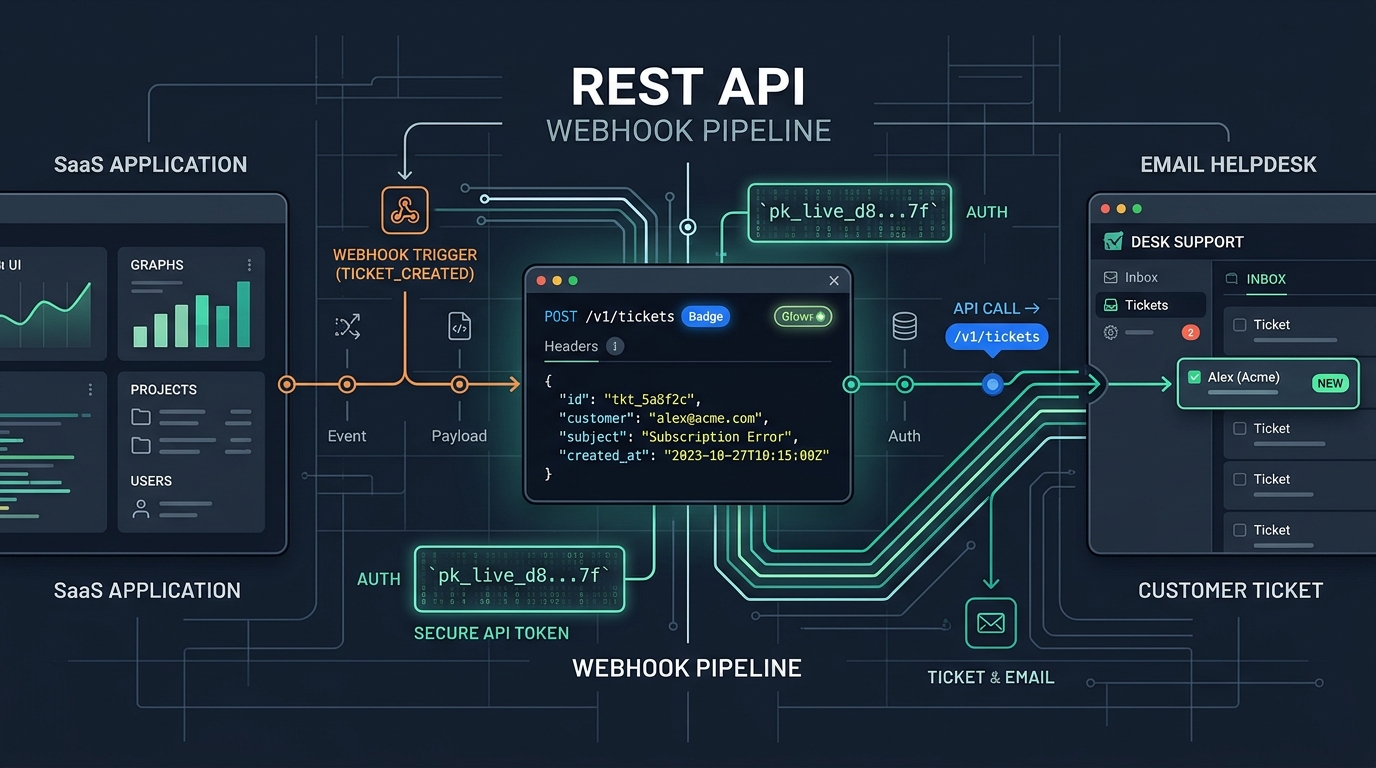
- Your server constructs the ticket creation payload, including the verified tenant ID and company name in metadata or tags, and dispatches it to your helpdesk API.
Mapping Tenants to Helpdesk Domains & Inboxes
Depending on your tiering strategy, you can route multi-tenant support through different structural configurations:
1. Single Queue with Automated Tenant Tagging
For standard self-serve SaaS products, all tenants write to the same support inbox (e.g., support@app.com). Your backend tags the ticket with org:acme-corp and plan:pro. Support agents can view all tickets from Acme Corp in one filtered view, and automations can prioritize enterprise accounts during high-volume spikes.
2. Dedicated Inboxes for Enterprise VIP Tenants
For enterprise tiers where contracts guarantee custom SLAs, you can provide a dedicated VIP support address (e.g., acme-support@app.com) or connect multiple brand domains. In HDdesk, each connected inbox has its own distinct domain settings, templates, and SLA policy, allowing you to enforce tighter response targets on enterprise queues without impacting standard tiers.
Data Isolation and Compliance Guardrails
When operating multi-tenant software subject to GDPR, CCPA, or HIPAA, support workflows must comply with data governance regulations:
- Audit Logging: Maintain internal logs of when support tickets are created, which tenant they were associated with, and which agent replied.
- Data Deletion Workflows: When a tenant exercises their Right to be Forgotten (GDPR erasure), your deletion scripts must be able to purge or anonymize ticket histories associated with that tenant's users.
- Role-Based Access: Limit which support agents have access to high-tier tenant queues, ensuring junior contractors cannot view sensitive enterprise conversations.
The Multi-Tenant Support Blueprint
To build a robust multi-tenant support architecture:
- Derive all customer and tenant identifiers on your backend before calling the helpdesk API.
- Include stable organization UUIDs in ticket tags so all tickets from the same corporate account can be grouped.
- Configure per-inbox SLA policies to deliver on enterprise contractual commitments.
- Keep sensitive authentication credentials out of ticket bodies, referencing external diagnostic logs by secure ID only.
Scalable email infrastructure for SaaS teams
HDdesk provides multiple inbox management, per-domain SLA targets, and a robust REST API to support your multi-tenant product.