
Why SLAs Matter Beyond Enterprise Contracts
In enterprise sales, a Service Level Agreement (SLA) is often viewed as a dense legal appendix outlining financial penalties for downtime or slow support responses. But for modern growing businesses, an SLA serves a much more practical purpose: it is an internal operating compass that aligns team expectations.
Without explicit SLA targets, support teams operate in an ambiguous fog. Is a 4-hour response good? Is an 18-hour response acceptable? Should a billing cancellation email be answered before a general product question?
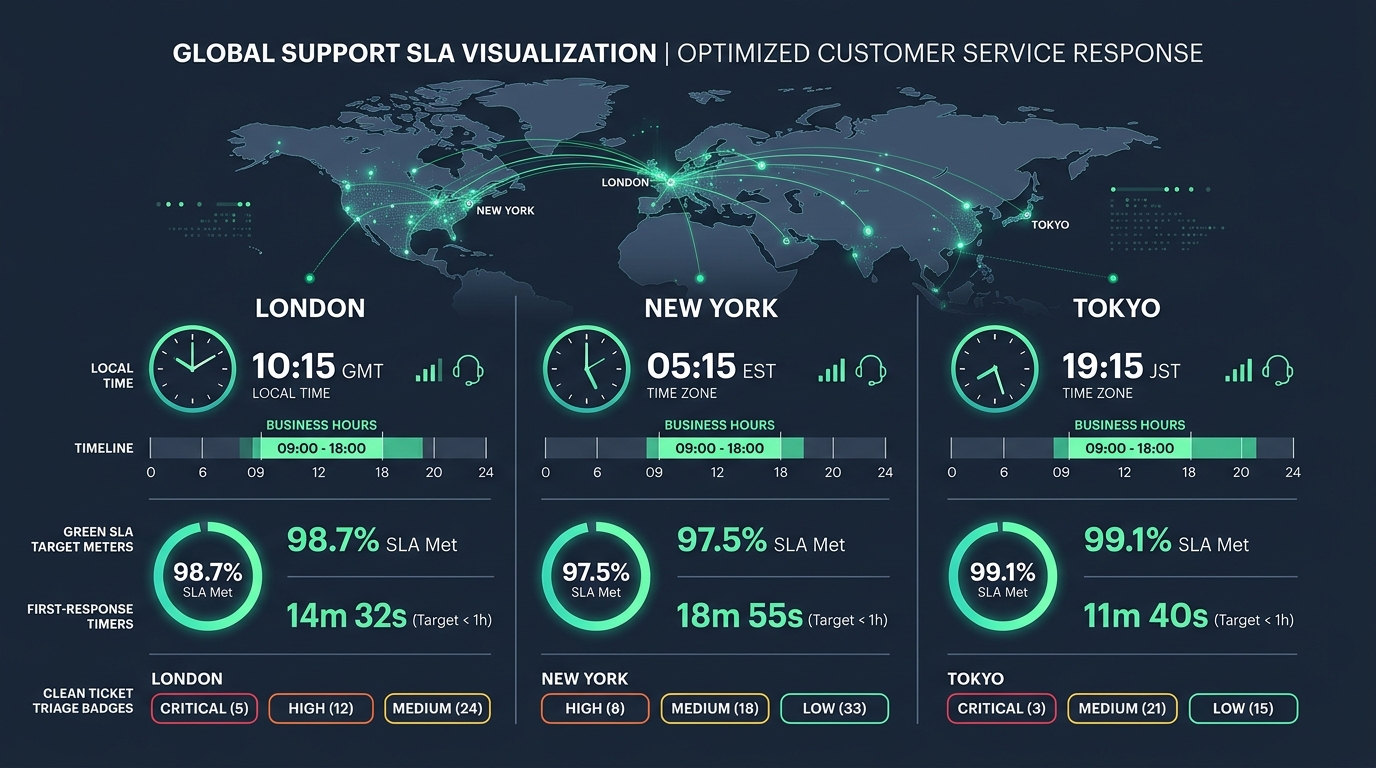
When you operate multiple brands across different geographical markets, SLA complexity multiplies. A high-ticket B2B software product in the UK requires a 1-hour response during London business hours, while a self-serve consumer tool in the United States requires an 8-hour target during Pacific Time. Managing these varying commitments without native multi-brand SLA tooling is virtually impossible.
First-Response Time vs. Resolution Time
A well-structured support operation measures two distinct SLA metrics:
1. First-Response Time (FRT)
The time elapsed between the customer sending an initial email and an agent sending the first human reply. FRT is primarily about anxiety relief. When a customer reaches out, they want confirmation that a capable human has received their request and is actively working on it. Fast first-response times directly drive high customer satisfaction scores.
2. Next-Response & Resolution Time
The time required to completely diagnose, fix, and resolve the underlying issue. Resolution time measures operational execution and engineering efficiency. A complex database bug may require 48 hours to patch, but communicating clearly within 30 minutes keeps the customer confident throughout the process.
The Time Zone & Working Calendar Challenge
The biggest pitfall in setting up SLAs is using a naive 24/7 calendar clock for businesses that do not operate 24/7 contact centers.
If a customer writes in at 9:00 PM on a Friday evening, and your target is a "4-hour response," your SLA timer will breach at 1:00 AM on Saturday morning—even though your office is closed until Monday morning. Your SLA reports will show an artificially dismal 20% compliance rate, destroying team morale.
The Solution: Brand-Specific Business Hours
In HDdesk, each connected brand inbox can have its own customized business hours calendar and time zone. When the office closes, SLA countdown timers automatically pause until the start of the next business day, giving you realistic, actionable compliance metrics.
Setting Up Tiered Priority Targets
Never treat all support tickets equally. Establish four clear priority tiers with explicit time targets:
| Priority Tier | Definition & Examples | Target First Reply (Business Hours) | Target Resolution |
|---|---|---|---|
| Urgent | Total application outage, data loss, security vulnerability | < 30 minutes | < 4 hours |
| High | Core feature broken for a paying user, billing failure | < 2 hours | < 1 business day |
| Normal | General onboarding questions, how-to inquiries, minor UI bugs | < 6 hours | < 2 business days |
| Low | Feature suggestions, feedback, documentation typos | < 24 hours | Backlog review |
The Weekly SLA Attainment Review Routine
Setting up SLAs is useless if nobody looks at the results. Establish a recurring 15-minute weekly review routine:
- Check Overall SLA Attainment: Aim for 95%+ attainment across your priority tiers during business hours.
- Analyze the Breached Tickets: Don't just look at the percentage; open the specific tickets that missed the target. Did a ticket breach because of a missing macro? Was an engineer blocked on a deployment? Was a mailbox unassigned over lunch?
- Refine the Workflow: Use the root-cause analysis to update canned macros, adjust working schedules, or fix confusing product UX.
Per-brand SLAs and business hours with HDdesk
Configure dedicated working calendars, first-reply timers, and resolution targets for every brand you operate. Included on all plans.